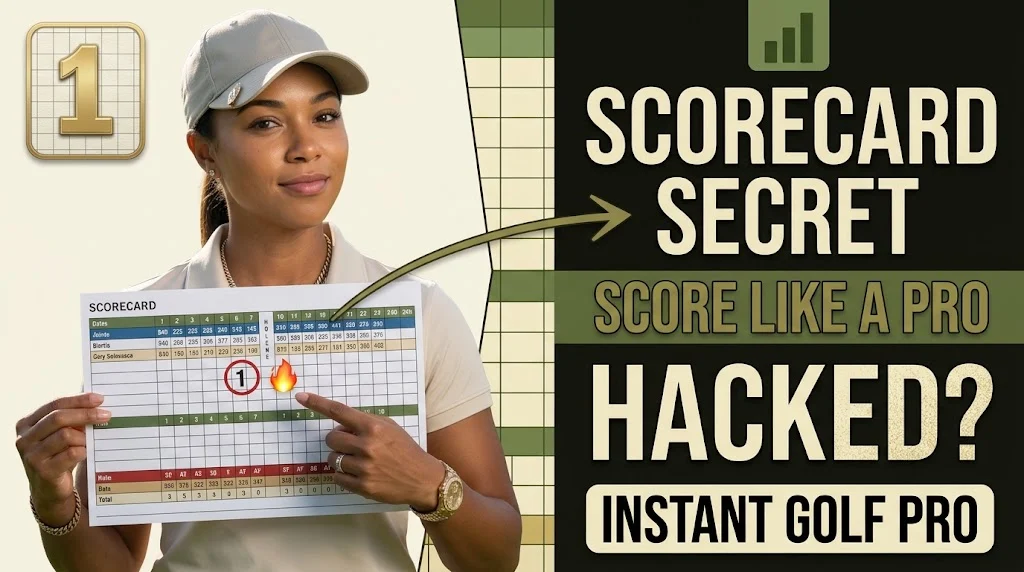
A golf scorecard looks simple: a grid of holes, a few numbers, and some empty boxes waiting for your scores. But that little card contains far more useful information than most beginners realize.
It tells you the par, yardage, tee information, stroke index, course rating, slope, front-nine total, back-nine total, and overall score. In disability competitions, it can also help determine where you receive strokes and how your gross score becomes a net score.
The good news? You don’t need to be a golf expert to understand it.
Once you know what each section means, a golf scorecard becomes more than a place to write numbers it becomes a quick guide for planning your round, tracking your performance, and understanding how well you actually played.
This complete guide explains how to read a golf scorecard, how to fill it out correctly, what every number means, how disability strokes work, and how to use your scorecard to improve your game.
What Is a Golf Scorecard?
A golf scorecard is a printed or digital record used to track a golfer’s performance hole by hole.
A typical 18-hole scorecard includes:
- Hole numbers 1–18
- Yardage from different tees
- Par for each hole
- Stroke Index or disability ranking
- Spaces for player scores
- Front-nine and back-nine totals
- Total score
- Course Rating and Slope Rating on many cards
- Local rules or additional course information
The most important rule for beginners is simple:
Record the actual number of strokes you took on each hole.
For example, if you play a par-4 hole in five strokes, write 5 not “+1.” Your scorecard records the gross strokes you made on that hole.
How to Read a Golf Scorecard
At first, a scorecard can look like a confusing collection of numbers. Once you understand the basic rows, however, it becomes surprisingly easy.
Let’s break it down.
Hole Number
The first row or column normally lists:
1, 2, 3, 4 … through 18
These simply identify the holes you’re playing.
A standard 18-hole round consists of two sections:
- Front nine: Holes 1–9
- Back nine: Holes 10–18
You’ll often see the words OUT and IN on the card.
OUT generally represents your first nine holes, while IN represents the second nine. Together, they make your 18-hole score.
Yardage
Yardage tells you the approximate playing distance of each hole from a particular set of tees.
You may see several rows, such as:
| Tee | Example Yardage |
|---|---|
| Championship | 445 yards |
| Blue | 420 yards |
| White | 395 yards |
| Gold | 350 yards |
| Red | 320 yards |
The colors and names are not universal, so don’t assume a particular color always means the same distance or player level.
Why does yardage matter?
It helps you understand how long the hole is and what type of shots you may need.
For example:
- Par 3: Usually a shorter hole requiring a tee shot toward the green
- Par 4: Typically requires a tee shot followed by an approach
- Par 5: Generally provides more distance and often more strategic options
Choosing the appropriate tees can make the course more manageable and enjoyable.
Par
Par is the expected number of strokes assigned to a hole.
Common examples are:
- Par 3
- Par 4
- Par 5
If a hole is par 4 and you take four strokes, you made par.
If you take three, you made a birdie.
If you take five, you made a bogey.
Common golf scores
| Score relative to par | Meaning |
|---|---|
| -3 | Albatross / Double eagle |
| -2 | Eagle |
| -1 | Birdie |
| 0 | Par |
| +1 | Bogey |
| +2 | Double bogey |
| +3 | Triple bogey |
For example, on a par-5:
- 3 strokes = Eagle
- 4 strokes = Birdie
- 5 strokes = Par
- 6 strokes = Bogey
- 7 strokes = Double bogey
Your scorecard should still normally contain the actual stroke number, such as 4 or 6.
What Does Stroke Index Mean on a Golf Scorecard?
This is one of the most misunderstood parts of a golf scorecard.
You’ll often see a row labeled:
- HCP
- disability
- SI
- Stroke Index
The numbers normally run from 1 to 18 on an 18-hole course.
The stroke index determines the order in which disability strokes are allocated. It should not simply be interpreted as “the hardest hole on the course.”
Example
Imagine your Playing disability is 10.
If a hole has:
Stroke Index 4
you receive a disability stroke there.
If another hole has:
Stroke Index 15
you generally don’t receive a stroke there when your Playing disability is 10.
Under the World disability System, a Playing disability of 10 generally means one disability stroke on holes allocated Stroke Index 1 through 10.
This is why understanding the scorecard can make disability competitions much easier to follow.
Gross Score vs. Net Score
Another important distinction is gross score versus net score.
Gross score
Your gross score is simply the total number of strokes you actually took.
For example:
18-hole gross score = 94
Net score
Your net score accounts for your disability.
For a simplified example:
Gross score: 94
Course disability: 18
Net score: 76
The exact scoring treatment can depend on the competition format and applicable disability rules, so don’t automatically subtract your disability Index from every round.
The USGA notes that a player’s disability Index is converted into a Course disability based on the course and tees being played.
Course Rating and Slope Rating Explained
Some golfers skip these numbers because they look complicated.
They’re actually useful.
Course Rating
Course Rating represents the expected score of a scratch golfer under normal playing conditions.
For example, you might see:
Course Rating: 71.8
That number helps describe the difficulty of the course for a scratch player.
Slope Rating
Slope Rating describes the relative difficulty of the course for a bogey golfer compared with a scratch golfer.
In the U.S. system, the standard Slope Rating is 113, with ratings commonly ranging from 55 to 155.
These numbers are part of the disability system and help convert a disability Index into a Course disability for the course and tees being played.
Why should you care?
Because shooting 90 on one course isn’t necessarily equivalent to shooting 90 on another.
The difficulty of the course and tees matters.
How to Fill Out a Golf Scorecard Correctly
Keeping score is easy once you establish a routine.
Before the round
Write down:
- Player names
- Date
- Competition, if applicable
- disability information if required
- Tees being played
Then identify the correct yardage row for your tees.
During the round
After each hole, record the actual number of strokes.
For example:
| Hole | Par | Your Score |
|---|---|---|
| 1 | 4 | 5 |
| 2 | 3 | 3 |
| 3 | 5 | 6 |
| 4 | 4 | 4 |
After nine holes, total the first nine.
Then continue through holes 10–18 and calculate your final total.
Don’t wait until the end
Trying to remember eighteen hole scores from memory is an easy way to make mistakes.
Record your score immediately after each hole.
What Do Circles and Squares Mean on a Golf Scorecard?
Some golfers use symbols as a quick visual shorthand.
A common convention is:
- Circle = birdie
- Double circle = eagle
- Square = bogey
- Double square = double bogey
These symbols aren’t necessary for keeping an accurate score. The actual number is what matters.
They’re simply useful for quickly seeing how your round went.
For example, a card with lots of circles might indicate several under-par holes, while several squares could highlight areas where you lost strokes.
A Simple Golf Scorecard Example
Imagine you play these nine holes:
| Hole | Par | Stroke Index | Score |
|---|---|---|---|
| 1 | 4 | 7 | 5 |
| 2 | 5 | 3 | 6 |
| 3 | 3 | 15 | 3 |
| 4 | 4 | 1 | 5 |
| 5 | 4 | 11 | 4 |
| 6 | 5 | 5 | 7 |
| 7 | 3 | 17 | 4 |
| 8 | 4 | 9 | 4 |
| 9 | 4 | 13 | 5 |
Your total is 43.
The par for these nine holes is:
36
So you’re 7 over par for the front nine.
But if you’re playing with a disability, that isn’t necessarily the whole story. Your stroke allocation could change your net result.
That’s why the Stroke Index row matters.
How to Use a Scorecard to Play Smarter
A scorecard isn’t just for recording what happened.
You can use it before and during your round to make better decisions.
Identify Your disability Holes
If you know your Playing disability, check the Stroke Index numbers before teeing off.
This tells you where disability strokes are allocated.
The USGA specifically recommends using the scorecard to identify holes where you receive strokes and adjust your expectations accordingly.
Check the Yardage Before Every Hole
Don’t automatically pull the same club every time.
Look at the yardage and consider:
- Tee location
- Wind
- Elevation
- Hazards
- Pin position
- Your normal carry distance
The scorecard gives you the basic information; your course conditions complete the picture.
Track More Than Your Score
If you’re trying to improve, consider adding small notes for:
- Fairway hit
- Greens in regulation
- Putts
- Penalty strokes
- Sand saves
- Up-and-down attempts
You can then identify patterns after several rounds.
For example, perhaps your final score looks disappointing, but your putting improved significantly. Or maybe your biggest problem isn’t driving it is three-putting.
Your scorecard can reveal that.
What Is the Best Scorecard Strategy for Beginners?
Don’t obsess over par.
For many golfers, especially newer players, trying to make par on every hole can create unnecessary pressure.
The USGA recommends thinking in terms of a target score based on your Course disability rather than assuming you should shoot around par.
A better mindset is:
Play the hole in front of you.
Instead of thinking:
I need to make a birdie here.
Think:
What’s the safest way for me to give myself a good chance at my target score
That small change can make the scorecard feel much less intimidating.
Golf Scorecard Mistakes to Avoid
Even experienced golfers can make simple scoring errors.
Mistake: Writing the wrong tee yardage
Make sure you’re using the row for the tees you’re actually playing.
Mistake: Confusing disability Index with Course disability
They’re related, but they’re not necessarily the same number.
Mistake: Misreading Stroke Index
Stroke Index tells you where disability strokes are allocated. It isn’t simply a universal “hardest-to-easiest” ranking.
Mistake: Forgetting penalty strokes
A penalty stroke counts toward your score.
If you take five shots and receive one penalty stroke, your hole score can be six.
Mistake : Adding everything incorrectly
Always check:
Front 9 + Back 9 = Final Score
In competition golf, follow the specific procedures given by the committee for checking and returning the card.
What Is a Digital Golf Scorecard?
Modern golf apps and GPS devices can replace much of the traditional paper-card work.
A digital scorecard may allow you to:
- Enter scores hole by hole
- Track putts
- Measure statistics
- View distances
- Calculate totals automatically
- Track performance over multiple rounds
- Manage disability information
However, the basic principles remain the same.
Whether you’re holding a pencil or using your phone, you’re still tracking the same fundamental information: what you scored, where you played, and how the hole fits into the course and disability structure.
FAQs
What information is on a golf scorecard?
A typical scorecard includes hole numbers, par, yardage, Stroke Index, player scoring spaces, and front/back-nine totals. Many also include Course Rating, Slope Rating, and local rules.
What does HCP mean on a golf scorecard?
HCP usually refers to the disability or Stroke Index row. It identifies the order in which disability strokes are allocated across the holes.
What does SI mean in golf?
SI means Stroke Index. It indicates the hole’s position in the disability-stroke allocation system.
What does OUT mean on a golf scorecard?
OUT generally represents holes 1–9, the front nine.
What does IN mean?
IN generally represents holes 10–18, the back nine.
Do I write my score or score relative to par?
Normally, write the actual number of strokes you took on each hole for example, write 5 on a par-4 if you took five strokes.
Is a lower golf score better?
In conventional stroke play, fewer strokes means a lower score. However, disability and different competition formats can change how results are calculated.
How do I calculate my golf score?
Add your strokes from all 18 holes:
Front 9 + Back 9 = Gross Score
If you’re playing a disability competition, the applicable disability and competition format determine how your net result is calculated.
Final Thoughts
A golf scorecard may be small, but it tells the story of your entire round.
It shows where you’re playing, how long the holes are, what each hole’s par is, where disability strokes are allocated, and how your round adds up.
For beginners, the key is to keep it simple:
- Choose the correct tees.
- Understand the par.
- Record every hole accurately.
- Learn what Stroke Index means.
- Understand the difference between gross and net scoring.
- Check your totals before finishing.
- Use your card to spot patterns in your game.
Once those basics become second nature, the scorecard stops looking like a confusing grid of numbers. It becomes one of the most useful tools in your golf bag and a simple way to see not just what you scored, but how you played.

Theo Bennett is a passionate sports writer and storyteller at SportNestify.com covering cricket, football, hockey, tennis, basketball and more. With a focus on clear insights, engaging analysis, player stories, and the latest sporting trends, Leo turns every game into a story worth following. His goal is simple